 Vitals Trends
For Garmin watches · iPhone
See how your vitals are trending.
Night HRV, resting heart rate, sleep, stress and Body Battery from your Garmin watch, compared with your own last 28 days. One sentence tells you what changed. Everything stays on your iPhone.
Why it exists
Your watch records everything. It just never tells you what changed.
Garmin Connect shows today. Vitals Trends compares the last seven complete days with the four weeks before them, using your own median and your own spread, and says it plainly.
One sentence, not a wall of numbers
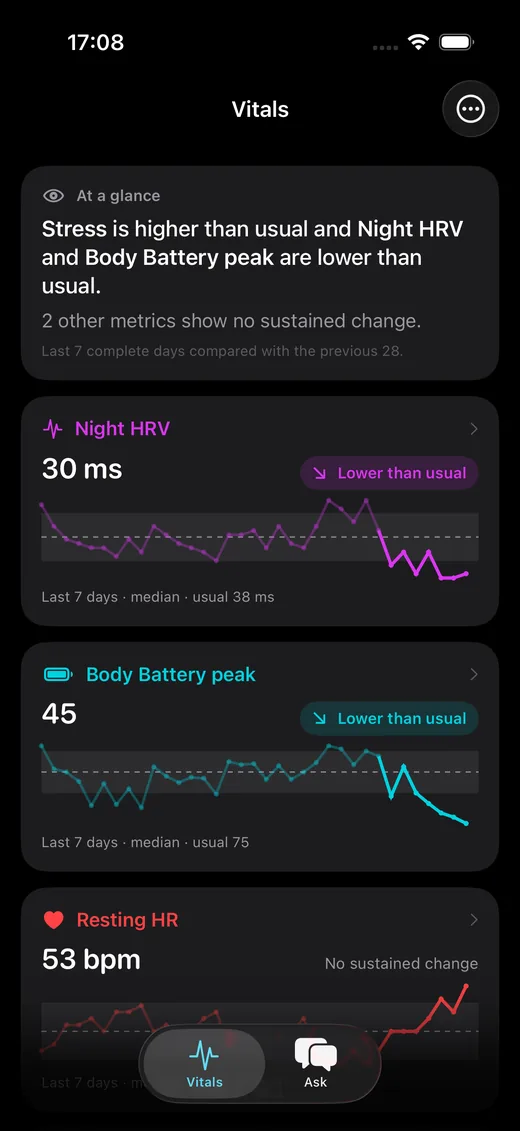
“Night HRV is lower than usual. Stress is rising over the last three days.” The glance card names what moved and stays quiet when nothing did.
Your usual range, not population norms
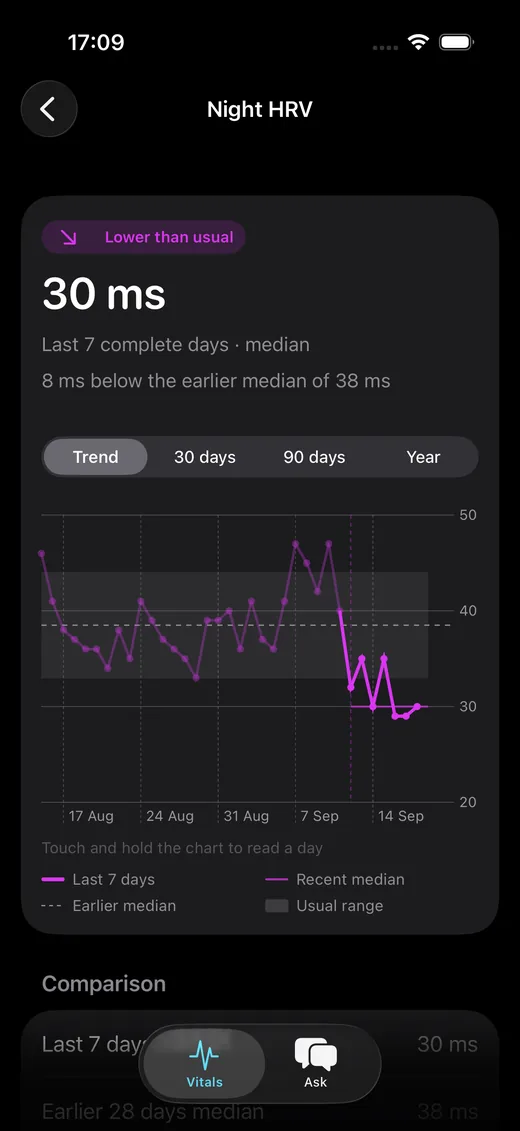
Every metric is judged against your own previous 28 days. A change has to clear your normal day-to-day variation and persist across at least five days before it counts.
Detail when you want it
Open any metric for the trend chart with your usual band, 30 days, 90 days or a year of history, the comparison numbers and every daily value.
Inside the app
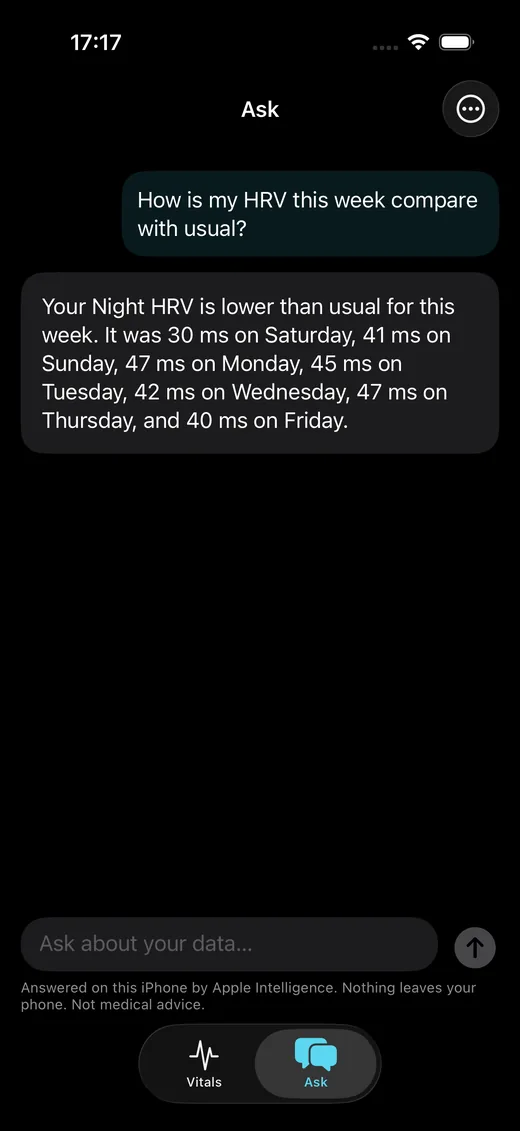
Three screens. That is the whole app.
How it works
Sign in, download, read the sentence.
Sign in to Garmin Connect
The same account as the Garmin Connect app, two-factor codes included. Your password goes to Garmin only and is never stored.
Download your history
35 days for free, 90 days or a full year with Pro. Everything is saved on the iPhone; new days are added whenever you refresh.
Check the glance each morning
After your watch syncs, pull to refresh and read what changed. Open a metric only when you want the numbers.
Ask
Ask about your data, on your iPhone.
“How was my sleep this week?” “Is my stress higher than usual?” On iPhones with Apple Intelligence the answer comes from the on-device model, so nothing leaves the phone. Without Apple Intelligence, ready-made questions answer straight from your numbers. The app has no server of its own.
Answers describe your numbers. They are not medical advice, and the app says so.
Apple Intelligence
Built into iOS 26. Free, private, no setup.
Ready-made questions
On any iPhone: tap a question and get the answer computed from your own numbers.
Only your data
The model sees your daily values and the glance summary, nothing else.
Describes, never diagnoses
Asked what to do, it points you to a clinician.
Privacy
Your history stays on this iPhone.
No account, no server, no analytics, no ads. The app talks to Garmin to download your data and to nobody else. Ask answers with Apple Intelligence on the device, only after you agree. Delete everything with one button in Settings. Read the privacy policy.
Pricing
Free to try properly. Pro is one purchase.
No subscription. You bought a watch; you should not have to rent the app that reads it.
Free
- Unlimited sync with Garmin Connect
- 35 days of history, enough for the 7-vs-28-day comparison
- The full “At a glance” sentence for every metric on your dashboard
- Night HRV, resting heart rate and sleep score with charts, labels and detail views
- Ask, answered on the phone
Pro
- All 15 metrics: Body Battery, stress, sleep duration, steps, training, SpO₂ and more
- 90 days or a full year of history
- Detail views for every metric, over 90 days or a year
- Whatever comes next on your iPhone, such as widgets and alerts
Pro covers features that run on your iPhone. Services that need a server, if ever offered, will be separate.
Questions
Before you download
Which watches work?
Any Garmin watch that syncs to Garmin Connect. The app reads the data Garmin Connect already has, so it works with whatever your watch records: HRV status, resting heart rate, sleep, stress, Body Battery, steps, intensity minutes, SpO₂.
Do I need Garmin Connect+?
No. Vitals Trends works with a regular Garmin account. It compares your own history on your own phone.
Does it change anything in Garmin Connect?
No. The app only reads. It never writes measurements, activities or settings to your Garmin account.
Where is my data stored?
In a database on your iPhone, protected by iOS data protection and excluded from backups. Nothing is uploaded to us; we have no server that could hold it.
Is this medical advice?
No. The app describes how your numbers compare with your own history. Talk to a clinician about anything that worries you.
Is Vitals Trends made by Garmin?
No. It is an independent app and is not affiliated with or endorsed by Garmin Ltd.